Funnel & forecast
- Stage-to-stage funnel conversion
- Deal velocity (avg days in stage)
- Weighted forecast from stage probabilities
- Rep leaderboard & activity trends
Pipeline Intelligence puts live AI intelligence on every account—briefings, market signals, and next-step angles grounded in your stages, notes, and corporate goals. Plus pipeline analytics, at-risk scoring, and exportable science digests— not a bolt-on chatbot, but a CRM your reps already use.
Captured from the live CRM—dashboard, live AI intel, funnel board, analytics, risk register, deal management, calendar, and the all-accounts directory your reps use every day.
Funnel conversion · Deal velocity · Rep leaderboard
Portfolio read · Risk-adjusted pipeline · Recommended actions
Science digest · Weekly email · Executive summary
Open Analytics in the CRM for funnel health, weighted forecast, risk-adjusted pipeline, and AI portfolio assessment—then export a weekly science digest.
Every workspace gets the Analytics hub on trial—portfolio assessment uses your intel pool on Growth+ when AI runs.
The product is not “AI somewhere in the stack.” It is live intelligence on the deals you are trying to win—refreshed when the market moves and tied to pipeline stage.
On Growth and above, AI-powered live search scans the web and returns WHY NOW, PITCH ANGLE, and ENTRY POINT for each account—using your CRM context, not generic prompts.
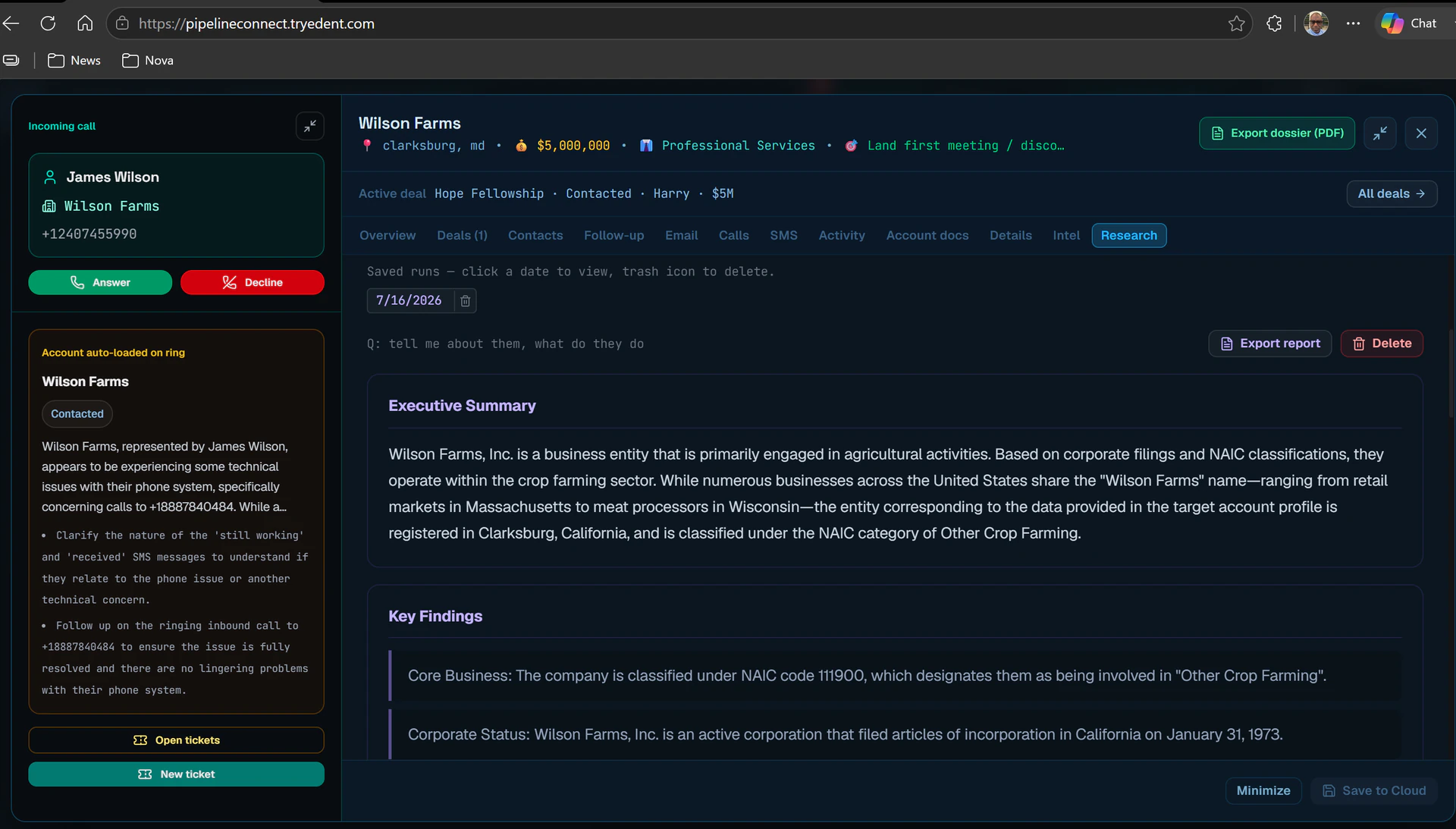
Refresh live signals across the workspace: products, locations, milestones, and a narrative your reps can use on the next call—without leaving Pipeline Intelligence.
From trial (25 shared runs) to Ultra (1,000/month for the whole workspace), every plan is priced around how much live intelligence your team needs—not seat count alone. On team plans, the cap is one pool for everyone, not per rep.
Pipeline management, collaboration, and security—so live AI intel has a single home on every account.
The core value: live briefings and signals on prospects in your funnel—grounded in segment, stage, spend, and notes. Upgrade for live web search–backed intel.
One-click intel on any account; saved to the record for the whole team. Starter tier uses CRM-only synthesis; Growth+ adds live search.
Kanban by stage from New to Closed. Drag accounts forward and keep the whole team aligned on momentum.
Funnel conversion, weighted forecast, deal velocity, and rep leaderboard—plus AI portfolio assessment and risk-adjusted pipeline in one view.
Rule-based risk scoring flags overdue follow-ups, stale stages, and tier-1 accounts needing attention—with recommended actions per deal.
Executive summary, weekly pack, at-risk register, rep scorecard, portfolio assessment, and analytics science digest—print, PDF, CSV, or scheduled email.
Each customer organization gets isolated data, branding, billing, and user roster. Platform admins provision new tenants in minutes.
Admins manage users, passwords, import/export, and subscriptions. Reps stay focused on selling.
Attach contracts, SLAs, and compliance files per account and per deal. Full activity timeline for every touchpoint.
Team View rolls up rep pipeline goals and attainment. Calendar shows follow-ups, close targets, and at-risk items—with drag-to-reschedule and per-rep filters.
One account, many opportunities—each with its own stage, value, description, and deal documents. Set a primary deal for rollups from the Deals tab.
From signup to insight in three steps — no IT project required.
Self-serve signup — company name, email, and password. Instant 7-day trial with 25 shared intel runs (1 seat). Trial intel is CRM-only unless you pick Growth+ as your trial tier.
Import accounts or add prospects manually. Assign reps, stages, priorities, and follow-up dates.
Run account dossiers before calls, refresh live signals on priority deals, and let intel follow the pipeline—not a separate research tab.
Open Analytics for funnel and forecast KPIs, run a portfolio assessment, export the science digest, and schedule reports for leadership.
Pick a tier and seat count (1–25). Per-seat list price with 15% off from 2 seats on Growth, Pro, and Ultra. Intel is a shared workspace pool — not multiplied by seats.
Trial: 25 shared intel runs; CRM-only unless you choose Growth+ at signup. Annual billing saves ~17% (monthly equivalents above). Upgrade in-app via Admin Panel → Plan & usage → Subscribe (Stripe).
Deep Research add-on: $49/mo on any paid plan (Starter through Ultra) — 30 dedicated live-web research reports per workspace per month, separate from your intel pool. Subscribe in Admin Panel → Plan & usage after you have a paid subscription.
Same formula in-app: seats × per-user list × 0.85 (Growth/Pro/Ultra, 2+ seats). Choose any seat count from 1–25 at signup or add seats later in Admin Panel → Plan & usage.
Small teams starting live search.
Default mid-market team size.
High-capacity live intel for pairs.
Self-serve covers 1–25 seats per workspace. Larger teams and annual invoicing — we can provision custom contracts with the same per-seat model.
Enterprise expectations for authentication, isolation, and data lifecycle. Read our Privacy Policy for how we protect customer data and what we do not share with third parties.
Passwords never stored in Firestore. Industry-standard login, reset flows, and optional email verification for workspace users.
Prospects, users, and billing live under tenants/{id} with Firestore
rules enforcing roster membership.
Intelligence and admin actions require verified ID tokens. Quotas and audit events tracked on the server.
Admins export tenant JSON for compliance. Platform owners can purge customer workspaces when contracts end.
Quick answers for sales leaders evaluating AI pipeline CRM software.
The Dashboard is your workspace command center. It answers how much pipeline you have vs goal, booked revenue, which accounts need attention, how pipeline spreads across stages and reps, and what live AI signals say about key accounts. Use My pipeline for your assigned deals or Team for the whole workspace.
Download Dashboard Guide (PDF) In the app: on any workspace screen, turn on Show guide labels in the guide toolbar to overlay badges on the live UI (A1–B7 header/nav plus screen-specific labels). PDF is a printable backup for the Dashboard.
| # | Label | What it does |
|---|---|---|
| A1 | Workspace name · PIPELINE INTELLIGENCE | Your company brand and product title |
| A2 | Notification bell | Alerts (e.g. at-risk account count) |
| A3 | REPORTS | Weekly pack, exports, scheduled email |
| A4 | + ADD | Create a new account or opportunity |
| A5 | User menu | Profile, lite mode, Admin Panel, import/export, sign out |
| B1 | CALENDAR | Follow-ups, close targets, tasks |
| B2 | DASHBOARD | Workspace snapshot (this page) |
| B3 | FUNNELS | Kanban — drag deals between stages |
| B4 | ALL ACCOUNTS | Searchable list of every account |
| B5 | TEAM VIEW | Rep goals, quotas, team rollups |
| B6 | ANALYTICS | Charts and trend analysis |
| B7 | RISK | Full at-risk register with scores |
| # | Element | Meaning |
|---|---|---|
| C1 | Workspace snapshot · Mon YYYY | Data period; shows My pipeline when scoped to you |
| C2 | MY PIPELINE / TEAM toggle | Your deals only vs entire workspace |
| C3 | View all accounts | Shortcut to All Accounts |
| C4 | CRM dossiers badge | Intel source until you run Refresh intel |
| C5 | Live intel reminder | AI signals are on-demand, not automatic |
Click any card (except Booked revenue) to open a detail modal with account lists. Chevron (›) = clickable.
| # | Card | Primary number | Subtext |
|---|---|---|---|
| D1 | PIPELINE GOAL | Total $ in active stages | Progress bar vs rep or team goal |
| D2 | BOOKED REVENUE | Closed-won dollars | % of quota when goals are set |
| D3 | ACTIVE DEALS | Count in active stages | May note accounts silent >21 days |
| D4 | TIER 1 ACCOUNTS | High-priority tier-1 still active | Classified tier 1 · active |
| D5 | AT-RISK FLAGGED | Open risk queue count | Shows critical count when applicable |
| D6 | OVERDUE ACTIONS | Follow-ups before today | Follow-ups past due |
| D7 | TOP SEGMENT | Largest industry segment | e.g. Medical Device · active |
| D8 | AVG DAYS SILENT | Avg days since last touch | — when no accounts flagged |
Goals: set rep pipeline goal and revenue quota in Admin Panel → User accounts or Team View.
| # | Element | Purpose |
|---|---|---|
| E1 | URGENT ACTIONS & OVERDUE | Highest-priority at-risk accounts |
| E2 | Double-click account name | Opens account dossier |
| E3 | PRIORITIZE ALL | Opens full Risk tab |
| E4 | Risk cards | Score, state/tier, signal pills (overdue, silent, etc.) |
| F1 | SALES BY TEAM | Active pipeline by rep (Team scope) |
| F2–F4 | Rep row · count · $ · bar | Deal count, pipeline value, visual share vs top rep |
| F5 | Full team overview → | Opens Team View for goals and roster |
| # | Element | Meaning |
|---|---|---|
| G1–G5 | PIPELINE DISTRIBUTION | Deals by funnel stage — bar, count, and $ total per stage |
| H1–H3 | SALES BY REGION | Pipeline by state/region from each account's State field |
| # | Element | Meaning |
|---|---|---|
| I1 | Risk pressure | % of active deals flagged at-risk — lower is better; click opens Risk |
| I2 | Pipeline quality | % of deals with estimated value — higher is better |
| J1 | LIVE AI PIPELINE INTELLIGENCE | AI-enriched signals for top accounts |
| J2 | Refresh intel | Live web search (uses intel quota on Growth+) |
| J3 | Generate digest | Weekly digest report builder |
| J4 | Signal cards | Company narrative and dossier link |
| K1 | Footer note | KPIs use CRM data; live AI is optional |
| L1 | Help button | In-app assistant and feedback |
Quick actions: click KPI cards for filtered lists; toggle My/Team recalculates everything; PRIORITIZE ALL or risk pressure bar opens Risk; Refresh intel fetches live AI signals.
Start a 7-day trial with 25 intel runs. Explore analytics, at-risk scoring, and exportable reports from day one—or sign in to refresh live briefings on deals you are closing.